
All staff have access to google video conferencing via Google Meet or hangout:
http://hangouts.google.com/ (best for one to one)
https://meet.google.com (best for team meetings)
Schedule a video meeting in Calendar

Create a new event with a video meeting
When you add a guest to an event, a video meeting link and dial-in number are added automatically.
Note: Guests can forward the meeting link to other people. If someone tries to join who was not invited to the Calendar event, a meeting participant from your organization must accept their request.
- Go to Google Calendar and create an event.
- On the Guests tab, click Add guests and enter the email addresses.
- Click Save.
- Click Send to send the invites.
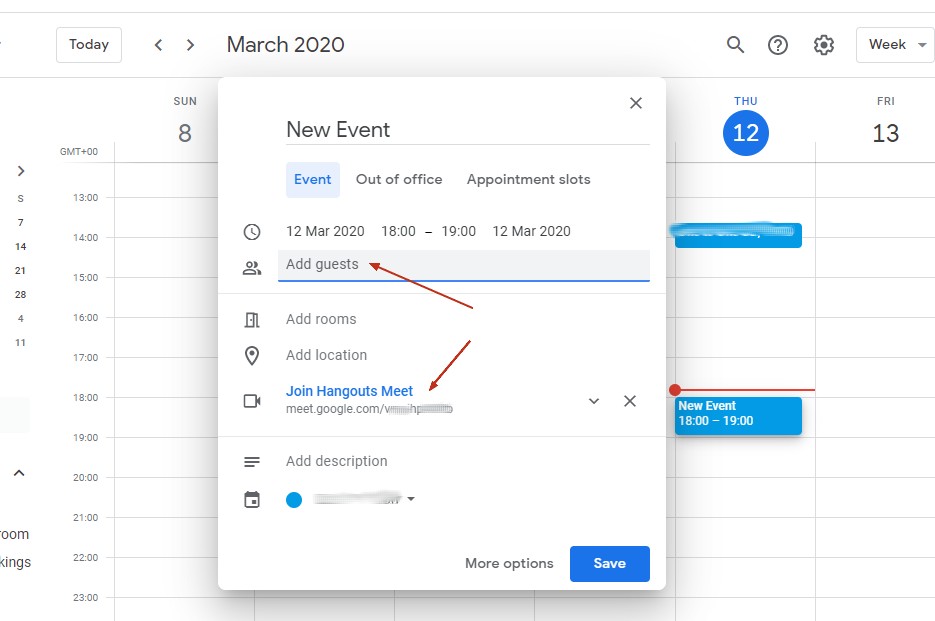
Guests receive an email with the event information and a link to the video meeting.
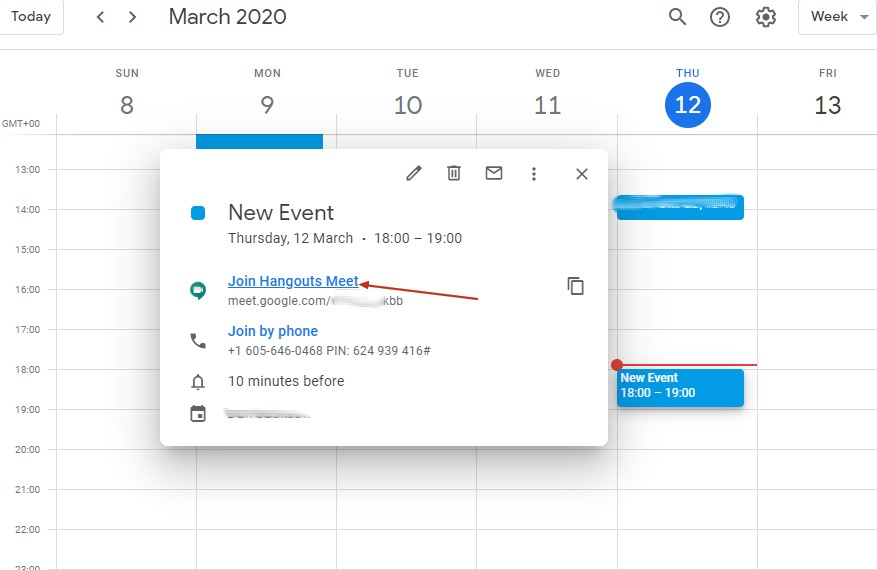
Click JOIN HANGOUTS MEET to join the video meeting.
Ensure your device has a camera and a microphone.
More help is available here: